One price for your entire portfolio
Priced by item count, not by users. Never more than 1.5 % of your spare parts inventory value.
-
The Standard Route
PartsOS
from 14.900€ / year, net
Up to 5,000 active spare part items. Above that we give you the price in writing before the draft contract and never more than 1.5 % of your spare parts inventory value.
- Included: One run a month across all items: reorder point, safety stock and min/max level per item, each with its reasoning
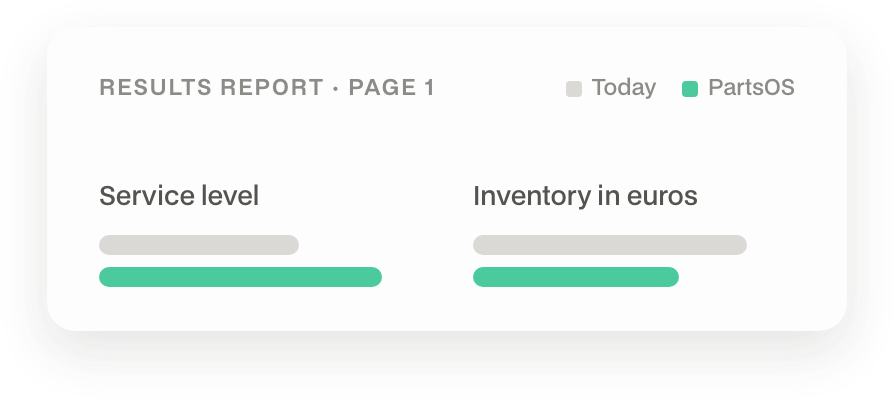
- Included: Results report after 30 days - 4 pages. Page 1 is written for your management: one service level figure, one inventory figure in euros, plus under-covered items and lead times, actual against maintained
- Included: Validated against last year: your parameters next to ours, calculated on data that never went into the model
- Included: From the second run, only changes - your planning team approves, adjusts or rejects, item by item and in total
- Included: Ready for your ERP: parameter file as a master data import for SAP, proALPHA, Infor, Dynamics. No interface, no customising
- Included: Exit until day 90, no reasons needed, the remaining nine months are back in your account within 14 days
-
The Alternative
Parameter-Audit
€ 2.900 einmalig, netto
For procurement, controlling or a budget round that wants a validated number before the contract. Start within 90 days of the report and we credit the audit in full against the annual contract.
- Included: The same four-page report as the first run, calculated on your complete 36-month export, without a contract
- Included: Results ten working days after the export plus a 45-minute review with you and your management. Everyone has the report 24 hours beforehand
- Included: The parameter file is yours. What it lacks is the monthly update as consumption and lead times change
- Included: If the audit shows little, we say so, it goes on page 1, and we advise against starting
Twelve months; annual payment in advance against invoice. Renews for a year, cancellable with three months' notice.
Two runs, one review list, then you decide.
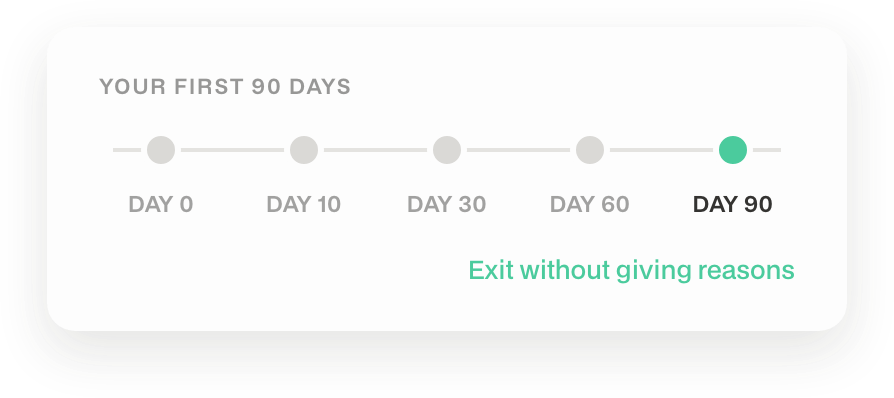
You won't see an effect in the warehouse by day 90 — spare parts lead times are too long for that. You decide on something else: two runs, the validation against last year, and your planning team's verdict on the flagged items. The effect in the real warehouse we measure afterwards, every quarter.
Day 0 - Signature
Kick-off date and export specification are in the contract.
By Day 10 - Your Export
Four files from your ERP, to our specification.
Day 30 - First Run
Results report, 45-minute review, parameter file and review list.
Day 60 - Second Run
From here on only changes and warnings.
Day 90 - Decision Date
You stay or you exit, nine months back within 14 days.
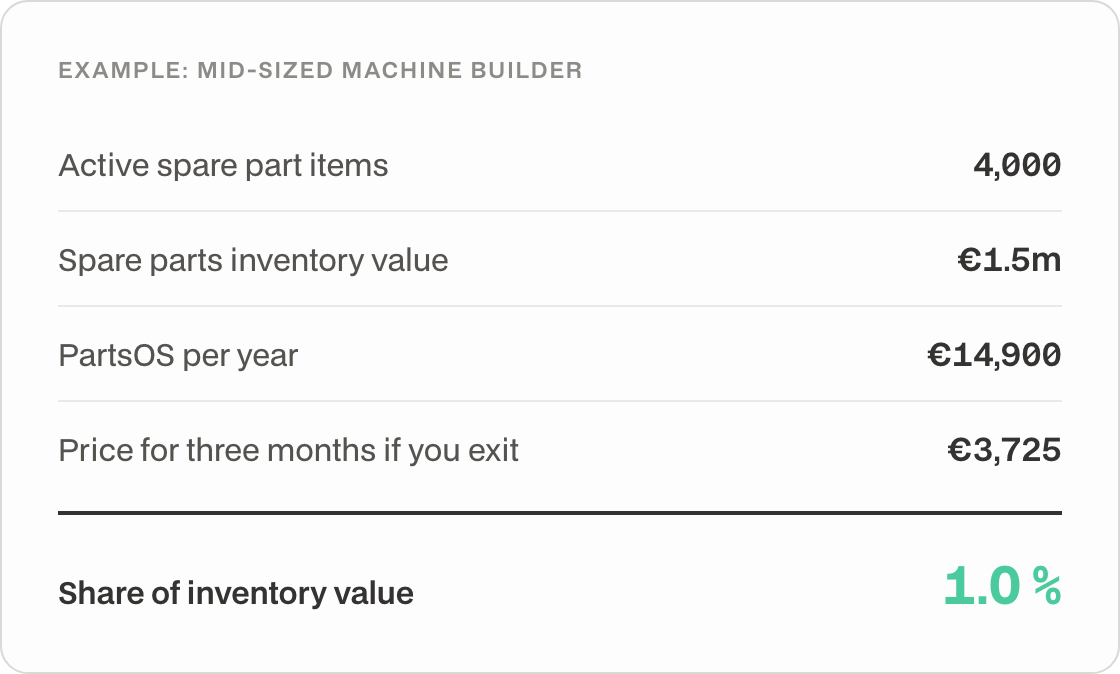
How the price sits against your inventory
Whether it pays off is on page 1 of your first results report: service level and inventory, your parameters next to ours. Here you only see the order of magnitude.
-

What counts as an active spare part item?
Any item with stock or demand in the last 36 months, at the agreed plant. Which storage locations are included is in the contract. If the tier is wrong, we correct the contract before day 90 — in both directions. After that we count once a year.
-
Why by items and not by users?
Because the effort and the effect sit with the items, not with the number of logins. One planner responsible for 4,000 items gets the same invoice as three planners sharing 4,000 items.
-
What costs extra?
Nothing you need to run it. Runs, support and ongoing model development are in the price. The only thing quoted separately is a second plant.
Contract & Exit
-
How long is the contract?
Twelve months from signature, annual payment in advance against invoice with 14 days' payment terms. After that it renews for a year, cancellable with three months' notice.
-
How does the exit work?
The exit until day 90 is a clause of its own in the contract, not in the general terms. An email is enough, and nine months of the annual price are refunded within 14 days. If your IT delivers the export later than day 10, every date moves by those days — the decision date included.
-
Do you give discounts?
No. The formula is the price, the same for every customer. What moves is the item count, and the first run counts it.
-
Why is there no free trial?
A trial on fifty items produces a plausible curve, not an effect. The first run calculates across all items and validates the result against last year. In exchange you carry the risk for three months instead of twelve.
Data & ERP
-
What do you need from us?
Four files from your ERP: item master with MRP data, movements over 36 months, order history with goods receipt dates, open orders and requirements. Your criticality list, if you have one. Your IT gets an export specification with tables and fields for your ERP, plus a 20-minute briefing. The same export is needed monthly after that — your IT sets it up once as a recurring job.
-
How does the result get into our ERP?
As a parameter file with reorder point, safety stock, and min/max level per item, which your ERP imports as master data. SAP with MRP type VB, proALPHA, Infor LN, and Dynamics read exactly these fields. No interface, no project.
-
Where is our data held, and what happens if we exit?
PartsOS is operated exclusively in Germany (ISO 27001-certified data centers, AWS eu-central-1). All data is encrypted both in transit (TLS 1.2+) and at rest (AES-256). There is no transfer of data to third countries without a separate agreement. You remain the data controller and retain control over your data (with options for export and deletion upon termination of the contract).
Results & Validation
-
How do you validate the result?
We calculate the parameters from two years of your history and validate them against the third, which never went into the model. For that year we replay your demand twice: once with the parameters from your ERP, once with ours — both using the real lead times from your goods receipts. Out of that come service level (the share of demand quantity served immediately from stock) and inventory in euros, for each variant. What the comparison does not capture is your planning team's manual interventions. That is why every item carries its reasoning, so your planner can hold it against their experience.
-
What if the first run shows little?
Then it is on page 1. You exit by day 90 and have a validated statement about your parameters for the price of three months.
-
What happens after day 90?
Nothing new. One run a month, the quarterly review of the effect in the real warehouse, and a recount of the items once a year. The formula from the contract also applies on renewal.
-
How much work is this for our planning team?
After the first run, the review list: the items we flag because they move the most inventory or service level. Then monthly, reviewing the changes, approving or rejecting them, and loading the approved file into the ERP — in SAP as mass maintenance via MM17, and we supply the instructions. One-off: switching items with an automatically calculated reorder point (SAP VM) to VB, so SAP does not overwrite our values. We supply that list. Whatever your planning team rejects stays as it is.
Who PartsOS is not for
We would rather say this before the start than after.
Two ways to begin
Start right away and exit by day 90 if the first report shows too little. Or have your current parameters validated first — without a contract.
Start right away?
Four details for the pre-check, three for contact. A proposed meeting time comes within one working day, then the draft contract with the export specification for your IT.
Want proof first?
The Parameter Audit runs on your full export and shows within ten working days what your current parameters cost you in service level and inventory. Start afterwards and we credit it in full.